
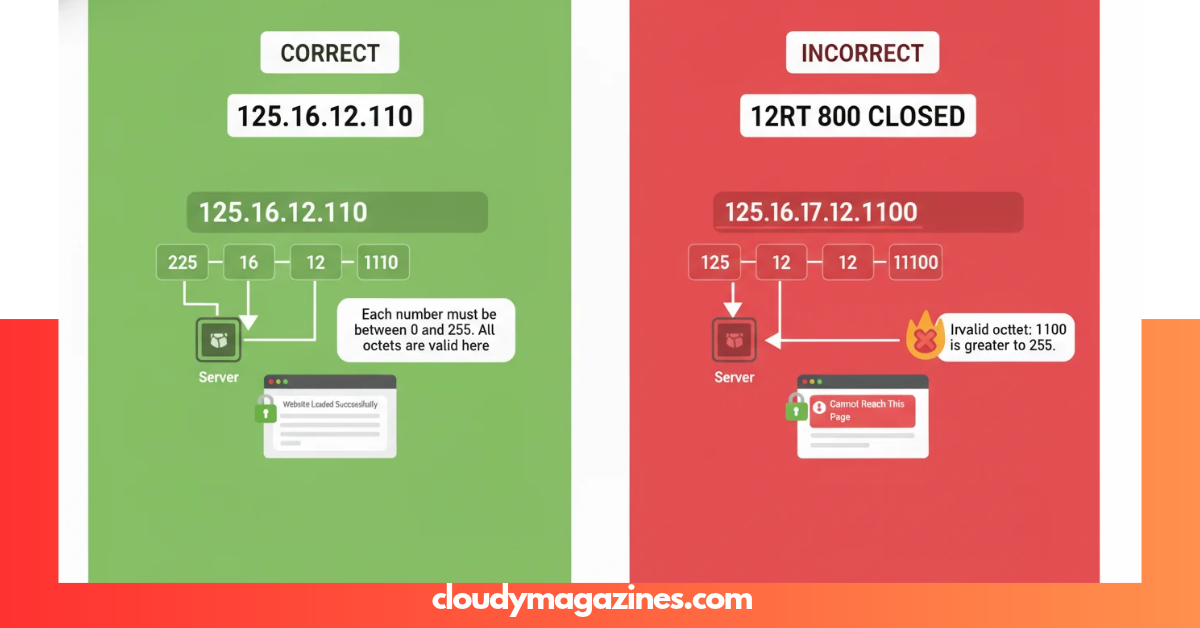
Have you seen 125.16.12.1100 in a log, configuration file, browser message, or support ticket and wondered whether it is a real IP address? The format looks familiar, but one part immediately creates a problem. A malformed address can stop a connection, break a configuration, or send troubleshooting in the wrong direction. This guide explains the issue in plain language, shows exactly what makes the string invalid, and gives you practical checks to identify the intended value.
Is 125.16.12.1100 a Valid IP Address?
No. 125.16.12.1100 is not a valid IPv4 address in standard dotted-decimal notation.
An IPv4 address contains four decimal octets separated by dots. Each octet must fall between 0 and 255. The final part of this string is 1100, which is far above the maximum permitted value of 255. RFC 3986 defines the IPv4 address grammar using four dec-octet values, with the largest valid value ending at 255.
| Check | Result |
| Four dot-separated parts | Yes |
| Decimal format | Yes |
| First octet: 125 | Valid |
| Second octet: 16 | Valid |
| Third octet: 12 | Valid |
| Fourth octet: 1100 | Invalid |
| Standard IPv4 address | No |
Why Does 1100 Make It Invalid?
The problem is simple: 1100 cannot fit inside an IPv4 octet.
An IPv4 address represents 32 bits divided into four 8-bit sections. Each section therefore has 256 possible values, from 0 through 255. RFC 791 describes Internet addresses as four octets, or 32 bits.
Think of each octet as a small box with a maximum capacity of 255. The values 0, 1, 25, 100, and 255 can fit. A value such as 1100 cannot. That makes the complete address unusable as a conventional IPv4 host address.
How Does 125.16.12.1100 Compare With a Valid IPv4 Address?
A valid IPv4 address follows a predictable pattern. For example:
- 125.16.12.11 — valid IPv4 syntax
- 125.16.12.110 — valid IPv4 syntax
- 125.16.12.255 — valid IPv4 syntax
- 125.16.12.1100 — invalid IPv4 syntax
The difference is only in the last number, but that change is enough to invalidate the whole address. Python’s standard ipaddress library also treats an IPv4 address as four decimal integers in the inclusive range 0–255 and raises an error for invalid input.
Could This Value Be a Port or Another Value?
Possibly, but you should not assume that without checking the original source.
A common troubleshooting mistake is to read a combined value as though every number belongs to the IP address. Networking data can contain an IP address alongside a port, protocol, interface number, identifier, timestamp, or other field. URI syntax, for example, treats a host and a port as separate components rather than extending an IPv4 octet beyond its allowed range.
If the intended data was something such as an address plus a port, the original notation may have been changed, concatenated, or copied incorrectly. Look at the raw log entry, configuration line, application output, or database field before changing anything.
What Could Have Caused This Malformed Address?
There is no single universal cause, so the right approach is to inspect where the string came from. Common possibilities include:
- A typing or copy-and-paste error.
- Two numeric fields accidentally joined together.
- A parser or export routine that removed a delimiter.
- A spreadsheet or database transformation that changed formatting.
- A configuration template that inserted the wrong variable.
- A log formatter that placed address-related values into one field.
The important point is to treat the value as malformed input until the source system confirms its intended meaning. Do not invent a replacement address from the pattern alone.
How Can You Check 125.16.12.1100 Safely?
Start with the simplest validation steps.
1. Split the value into four parts
You get:
125 | 16 | 12 | 1100
The first three values fit the 0–255 requirement. The last one does not.
2. Validate it with a trusted parser
A standard IP parser can confirm whether a string represents a valid address. Python’s ipaddress.ip_address() accepts valid IPv4 or IPv6 input and raises ValueError when the supplied value is invalid.
Example:
import ipaddress
value = “125.16.12.1100”
try:
print(ipaddress.ip_address(value))
except ValueError:
print(“Invalid IP address”)
3. Check the source field
Ask where the value first appeared:
- Web server log
- Firewall record
- Router configuration
- Application error
- CSV or spreadsheet
- Database record
- API response
- Monitoring dashboard
The source often tells you whether the value is an address, an address-plus-port field, or unrelated numeric data.
What Should You Do If This Value Appears in a Log?
Do not edit the log itself to make the value “look right.” Preserve the original record and trace the producing system.
A useful workflow is:
- Record the exact line where the value appears.
- Identify the application, service, or device that generated it.
- Check the field name and surrounding values.
- Compare the same field in earlier and later records.
- Validate the suspected intended IP separately.
- Correct the source process rather than masking the output.
This method protects the evidence you need for debugging. It also helps distinguish a bad address from a bad display format.
Can This Malformed Value Be Used to Reach a Website or Server?
Not as a standard IPv4 address in dotted-decimal form.
A normal IPv4 host address must satisfy the address format rules. Since the last component here exceeds 255, software that performs strict validation should reject it. Python’s IPv4Address constructor, for example, raises AddressValueError for an invalid IPv4 address.
That does not mean every application will show the same error message. Different software can parse and report malformed input differently. The safe engineering choice is to validate the value before attempting network operations.
Is the 125.0.0.0 Range Public, Private, or Special-Use?
The specific string 125.16.12.1100 is invalid, so it is not meaningful to classify that exact string as a public or private IPv4 address.
For a valid address, however, address classification matters. IANA maintains the authoritative IPv4 registries, including the IPv4 address-space registry and the special-purpose address registry. These records identify blocks reserved for purposes such as private use, loopback, documentation, and other defined cases.
This leads to an important rule: validate the syntax first, then investigate ownership, routing status, or special-use classification.
How Do You Fix 125.16.12.1100 in a Configuration?
The correct fix depends on the original intended value.
If the address contains a simple typo, replace it with the verified address from the system of record. If two fields were merged, restore the correct delimiter and keep the IP and secondary value separate. If a script produced the string, fix the formatting logic and add validation before the value reaches the configuration layer.
A good configuration process should reject malformed IPv4 input early rather than allowing invalid data to spread through logs, dashboards, or deployment files.
How Can Developers Prevent Similar IP Errors?
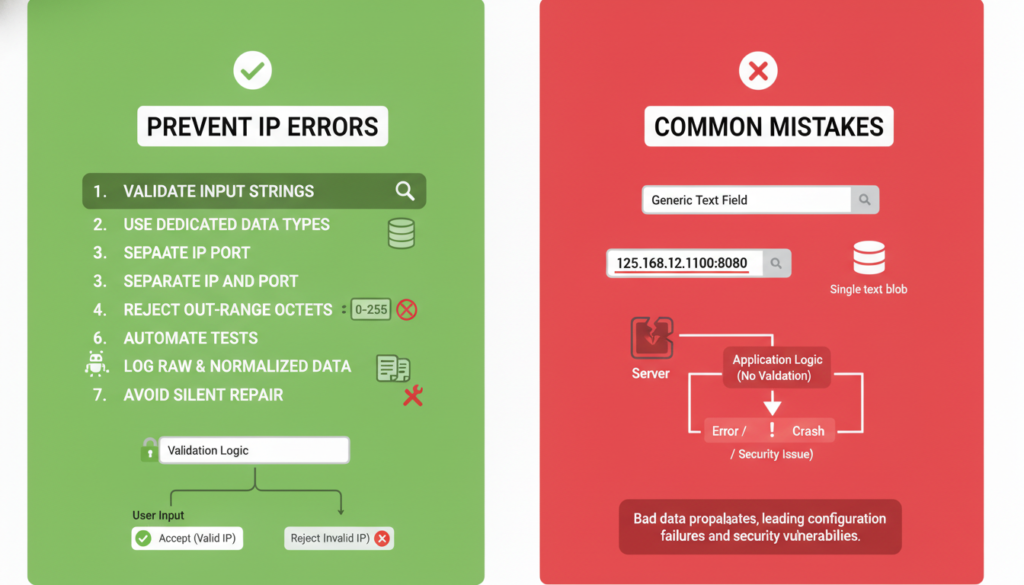
Validation should happen at the boundary where data enters the application.
Useful safeguards include:
- Validate IPv4 strings with a standards-compliant parser.
- Store IP addresses in a dedicated field instead of a generic text blob.
- Keep ports in a separate field.
- Reject octets outside the 0–255 range.
- Test malformed inputs as part of automated validation.
- Log raw input and normalized output separately during troubleshooting.
- Avoid silently “repairing” ambiguous addresses.
Early validation gives developers a clear failure point. It also reduces the chance that a bad value will be copied into security rules, DNS-related workflows, access controls, or network automation.
What Is the Fastest Way to Diagnose the Error?
If you need a quick answer, use this five-second test:
Count the parts, then check every part from 0 to 255.
For this string:
| Part | Value | Valid? |
| 1 | 125 | Yes |
| 2 | 16 | Yes |
| 3 | 12 | Yes |
| 4 | 1100 | No |
The diagnosis is immediate: the fourth octet fails the IPv4 range requirement.
Does 125.16.12.1100 Have a Special Networking Meaning?
There is no standard IPv4 meaning created by the string itself.
IANA’s registries define recognized IPv4 address blocks and special-purpose assignments. A malformed dotted-decimal value falls outside the normal IPv4 address format before those classification questions become relevant.
If an internal application uses 125.16.12.1100 as a custom identifier, ticket number, label, or other non-IP token, that is an application-specific meaning rather than a standard IPv4 address.
What Are the Best Semantic Terms to Understand This Topic?
When researching this issue, several related concepts help create a clearer technical picture:
- IPv4 address validation
- IPv4 octet range
- dotted-decimal notation
- malformed IP address
- invalid IP syntax
- IP parser error
- network configuration troubleshooting
- host address
- port number
- IP address format
- IANA IPv4 registry
- RFC 3986
- RFC 791
- Python ipaddress
These terms describe the real topic without forcing the focus phrase into every sentence.
Complete Technical Reference Table
| Topic | Key detail |
| Address format | Four decimal octets separated by dots |
| IPv4 size | 32 bits |
| Octets | Four 8-bit sections |
| Allowed octet range | 0–255 |
| First value here | 125 — valid |
| Second value here | 16 — valid |
| Third value here | 12 — valid |
| Fourth value here | 1100 — invalid |
| Final status | Not a valid standard IPv4 address |
| Main issue | Final octet exceeds 255 |
| Best first action | Validate the raw source value |
| Best technical check | Use a strict IP parser |
| Data hygiene | Separate address, port, and identifiers |
| Authority for IPv4 registries | IANA |
| Core standards references | RFC 3986 and RFC 791 |
Frequently Asked Questions
Is 125.16.12.1100 a real IP address?
No. 125.16.12.1100 is not a valid IPv4 address because the last octet, 1100, exceeds the permitted maximum of 255.
Why is 1100 not allowed in an IPv4 address?
An IPv4 address uses four 8-bit octets. Each octet can represent values only from 0 to 255, so 1100 cannot be used as one octet.
Can I simply change 1100 to another number?
Not safely. You need the original source, documentation, or system record to determine the intended value. Guessing can point troubleshooting toward the wrong device.
Could the number 1100 be a port?
It could be a separate port or another field in a combined record, but the original format must be checked before making that assumption. IP host data and port data should be handled as separate values.
How can I verify an IP address programmatically?
Use a standards-based parser. Python’s built-in ipaddress module can validate IPv4 and IPv6 strings and raises an exception when the value is invalid.
Does this malformed value have a public IP owner?
No ownership lookup should be performed for the malformed string itself. First identify a valid IPv4 address; then use authoritative allocation or registry data to investigate address-space status. IANA maintains the relevant IPv4 registries.
Conclusion
125.16.12.1100 fails a basic IPv4 rule because its final octet is 1100 instead of a value from 0 to 255. The right response is not to guess a replacement, but to trace the original source, separate mixed fields, and validate the corrected value with a reliable parser.
Have you found this malformed address in a server log, router, firewall, application, or website? Share the surrounding format—not private credentials or sensitive data—and the context can usually reveal what the number was intended to represent.